
FEATURES
Features Built for Financial Advisors
Everything ModelLayer does, from the modeling engine to the report your client receives.
Every model is free to run, with no account and no limits. Features marked Pro unlock when you subscribe to that model – $9.99 a month or $99 a year.
MODELING DEPTH
Deeper than a Calculator
Run a client's cash flows through real market history, alongside the assumptions you choose.
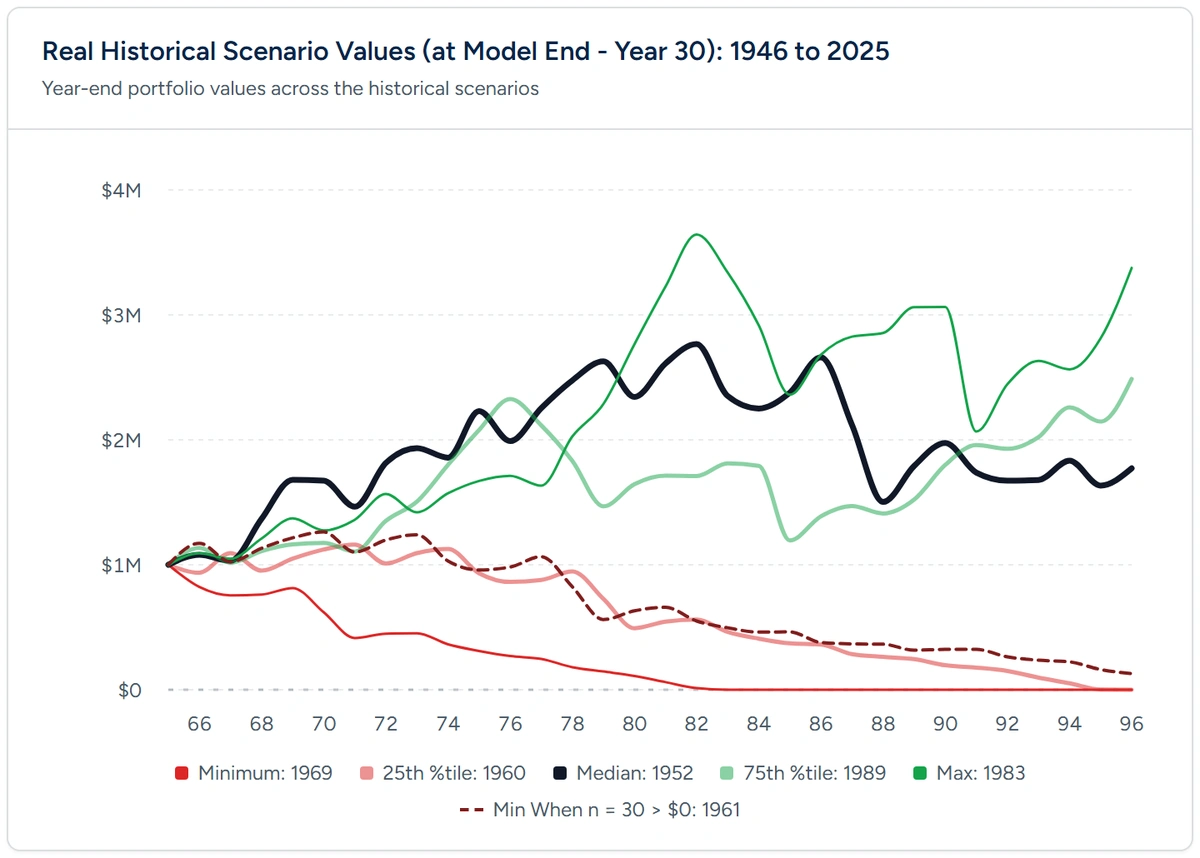
Historical Market Scenarios FREE
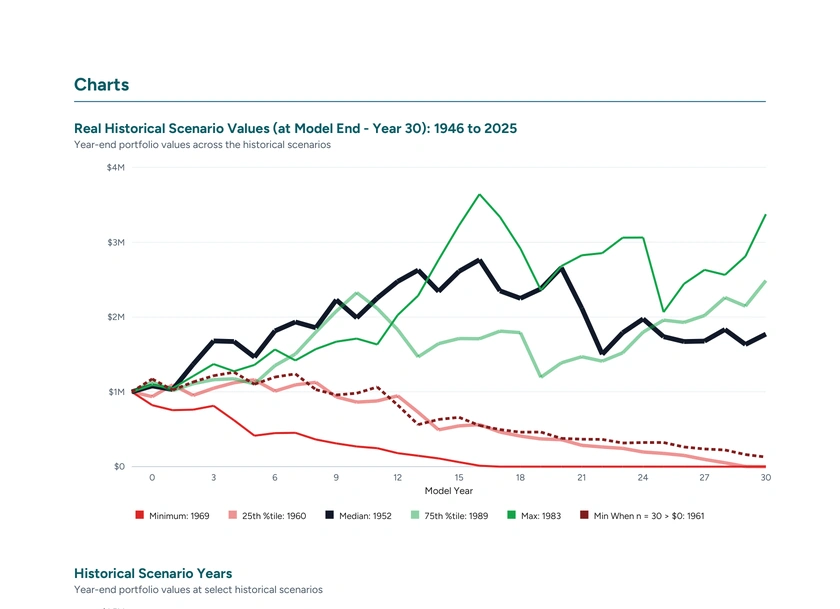
Every model runs the client's cash flows through each historical market period from 1900 onward, showing the range of outcomes history has produced, not one smooth line.
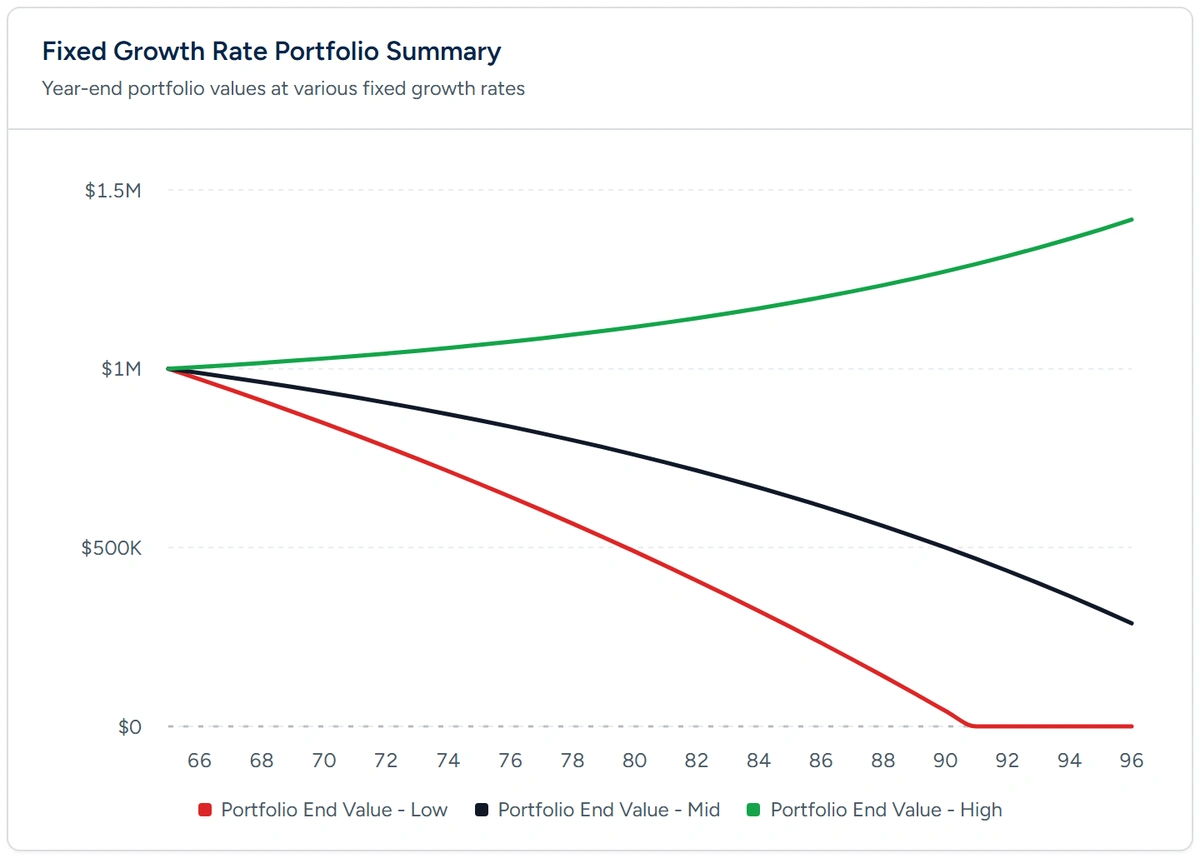
Multiple Flat Growth Scenarios FREE
Add several fixed growth rates – low, mid, and high – to see how various rates of return change the outcome.
Portfolio Tax Estimates FREE
See results after estimated portfolio taxes. Model Taxable, Traditional and Roth accounts with RMDs and a standard withdrawal order, using effective rates you set by year.
Custom Assets PRO
Model portfolio holdings that don't follow a standard index. Create custom asset classes by uploading their historical returns by year, or let ModelLayer calculate them from up-market and down-market beta, historical market returns, or a flat rate.
Model Comparison FREE ACCOUNT · EXPORT PRO
Run variations of the same question – retire two years later, spend less, add a home purchase – and compare them side by side on screen. Export the comparison with Pro.
Glide Path Allocation FREE
Make the portfolio more conservative over time with one simple input. The stock allocation steps down as the client ages, as many retirement portfolios do.
REPORT CONTROL
Control Every Report
Show the client exactly what the conversation needs, and nothing that distracts from it.
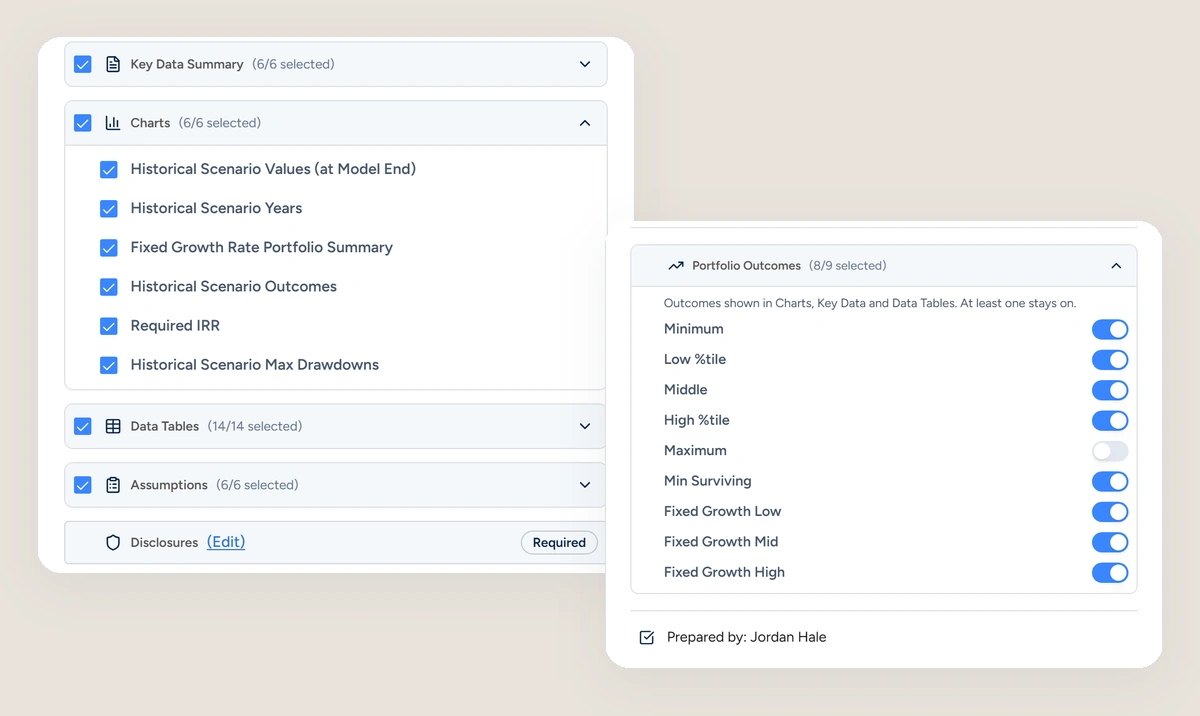
Choose the Sections PRO
Keep the charts, key data, data tables, and AI summary you want in the report and remove the rest.
Focus the Outcomes PRO
Choose which historical outcome lines appear – for example, leave out the maximum to keep the conversation grounded in typical results.
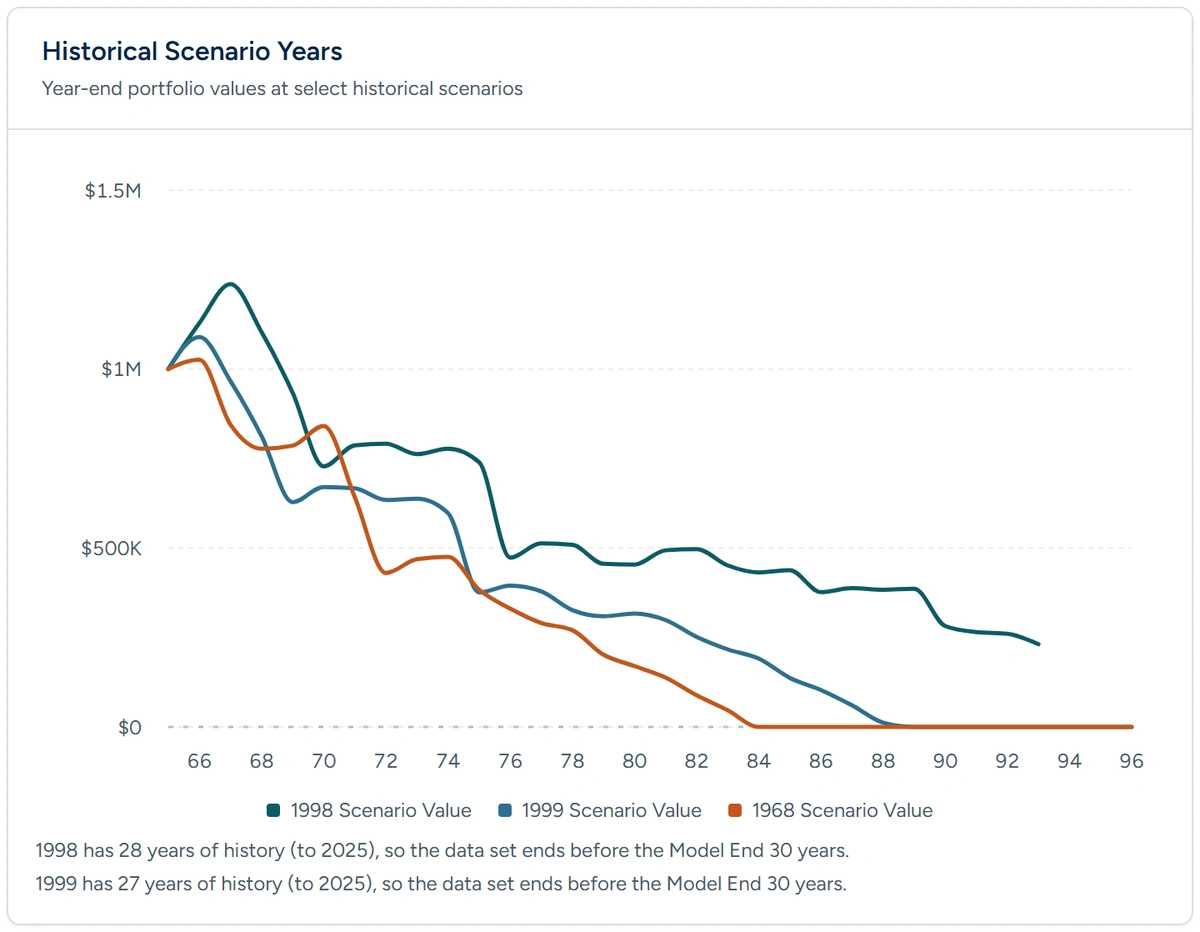
Test Specific Historical Market Years FREE
Show how a model would have held up if it started in a specific period, such as 1929, 1969, or 2000, alongside the full range of historical outcomes.
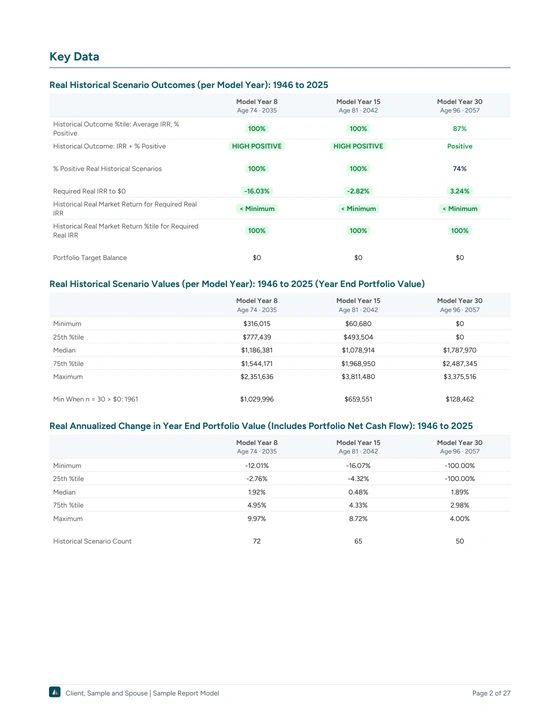
Showcase Model Years FREE
Highlight the years that matter to the output trends (e.g. year 8, year 15, and year 30) in key data and data tables instead of every year.
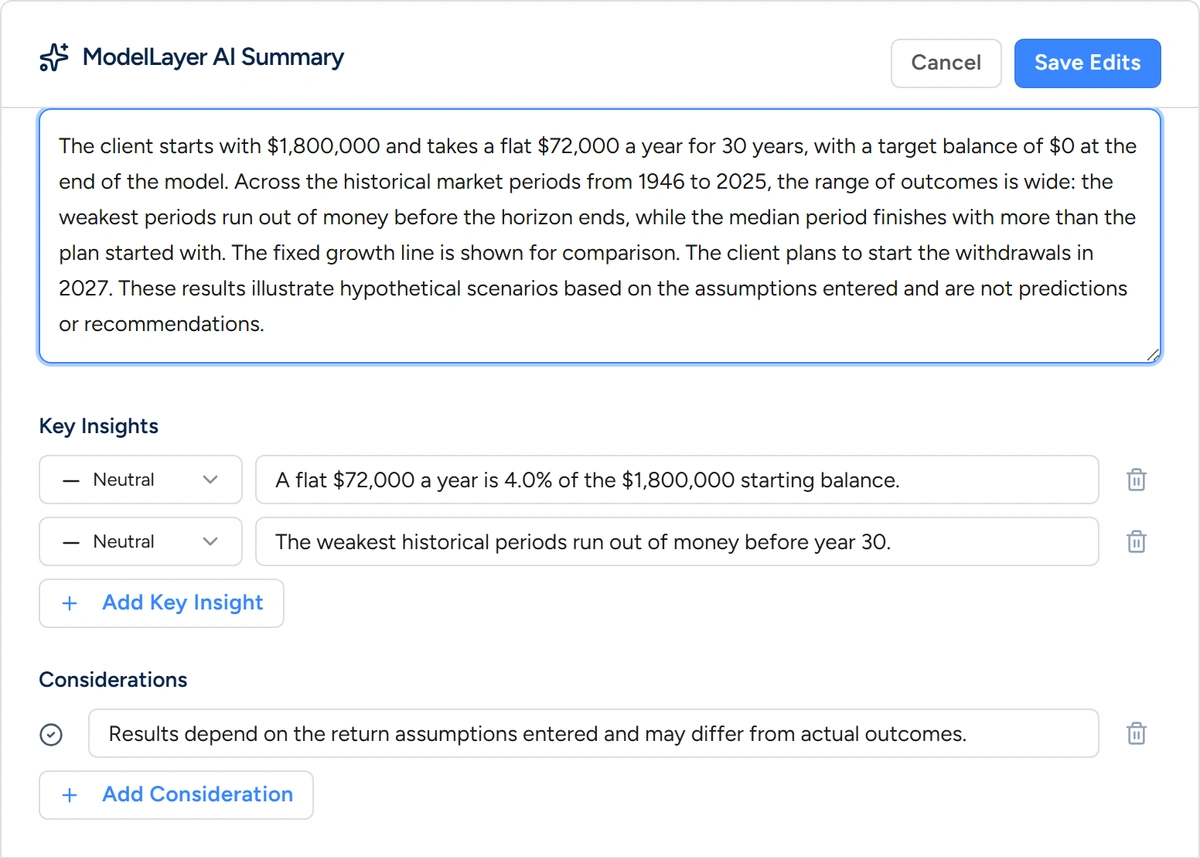
Editable AI Summary with Custom Prompts FREE ACCOUNT · CUSTOM PROMPTS PRO
AI drafts a plain-language summary from the model's own output. It can't introduce numbers you didn't enter and makes no predictions or recommendations. Edit it, remove it, or guide it with your own prompts.
CLIENT MANAGEMENT
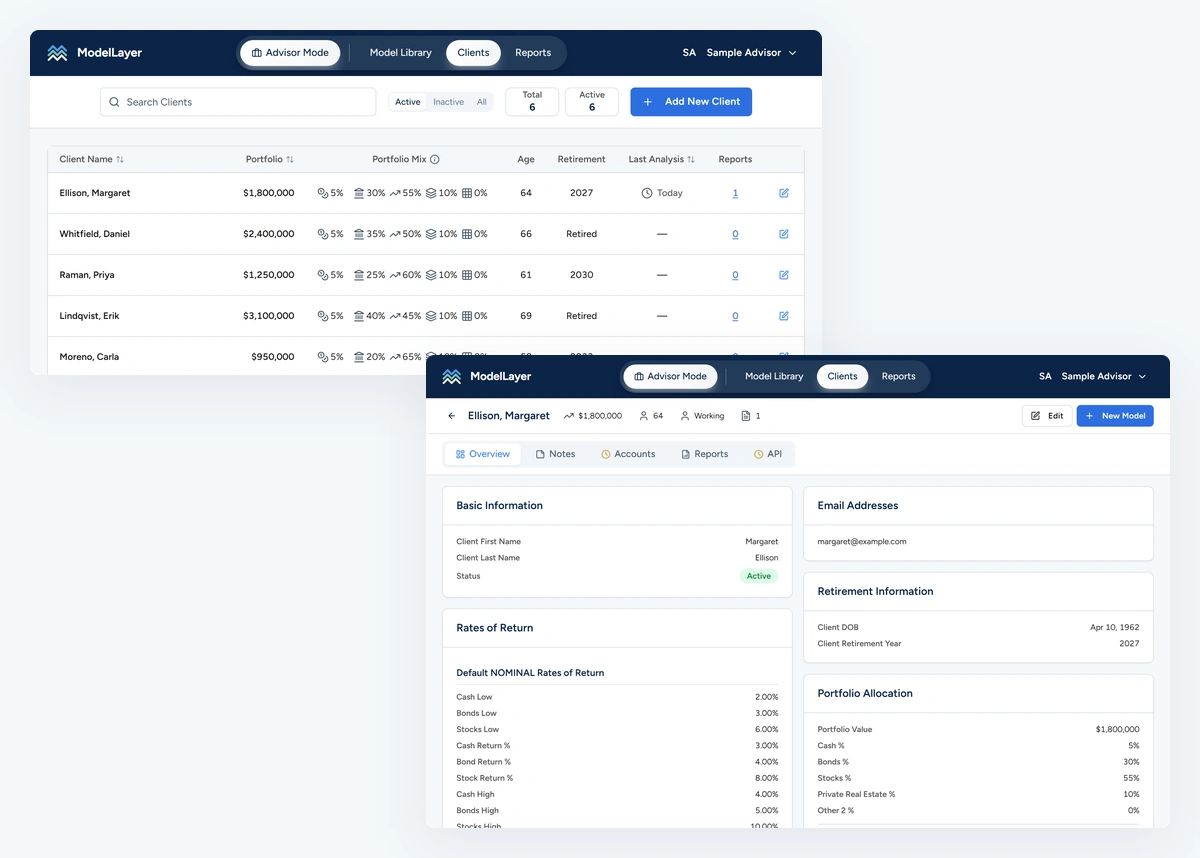
Organize Work by Client
Keep every client's assumptions, reports, and notes in one place, ready for the next question.
Client Records with Saved Assumptions PRO
Save the assumptions unique to each client – asset allocation, portfolio size, return preferences, and more – so the next model starts with that client's numbers instead of a blank form.
Reports Organized by Client PRO
Every saved run and report is filed under its client, so you can find last quarter's analysis in seconds.
Client Notes PRO
Keep quick-reference notes on each client's important details, right next to their models.
Designed to Keep Client Details Out of AI Requests FREE
Client names, dates of birth, and contact details are designed to be removed before any AI request. Nothing it sees is stored by the AI or used for training.
DELIVERY
Deliver It in Your Brand
Send a report that looks like your firm's own work, securely, without leaving the app.

Your Logo and Colors PRO
Every output carries your firm's logo and colors (cover page, charts). Nothing in the deliverable says ModelLayer.
Custom Disclosures, per Model PRO
Add your firm's disclosure language and tailor it to each model.
Password-Protected PDFs PRO
Protect each client report with a password before it leaves the app. Protected PDFs use AES-256 encryption.
Email Reports from the App PRO
Send the finished report straight to the client by email, without downloading and re-attaching it.
CSV Export PRO
Export the model's data to CSV for your own analysis, your planning software, or your records.
COMPLIANCE
Built for Compliance Review
- Transparent calculations. Data tables show the numbers behind the results, with methodology and assumptions documented in the model and available on the output.
- Version stamped. Every model and output carries a version and a date.
- Advisor built, AI audited, advisor confirmed. Output is tested against the underlying Excel model. AI never builds the math.
- Encrypted in transit and at rest. Hosted on Cloudflare; every record is visible only to your firm's signed-in users.
- Nothing we shouldn't have. We never ask for account numbers or credentials to any other institution.
- Plus the custom disclosures and report controls mentioned above.
PLANS
What's Free and What's Pro
| Plan | Includes |
|---|---|
| FREE no account | Every model, unlimited runs, historical market scenarios, multiple flat growth scenarios, test specific historical market years, glide path allocation, portfolio tax estimator |
| FREE with account | Everything above, plus on-screen scenario comparison, one saved model with full access and 5 AI summaries a month (up to 2 a day) |
| PRO $9.99/mo or $99/yr per model | Unlimited model saves, logo and colors, custom disclosures, PDF reports, password-protected PDFs, client email, CSV export, client library, client records and notes, Private Mode, comparison export, ModelLayer Chat, custom AI prompts, report section and outcome control, custom assets, Assumption Defaults, Spouse / Partner, 100 AI summaries a month per model |
FAQ
Feature Questions
Can I save assumptions for each client?
Yes, with Pro. Each client record stores that client's assumptions – asset allocation, portfolio size, return preferences and more – so every new model starts with their numbers.
Can I password-protect reports?
Yes, with Pro. Set a password on each PDF before sending it, and email it to the client directly from the app. Protected PDFs use AES-256 encryption.
Can I remove parts of the report?
Yes, with Pro. Choose which sections, outcome lines, and model years appear, and edit or remove the AI summary before anything reaches the client.
Can I model assets that don't track a standard index?
Yes, with Pro. Upload an asset's historical returns by year, or set its allocation and choose up-market and down-market beta, historical market returns, or a flat rate, and ModelLayer calculates the returns. These are hypothetical assumptions you set.
Can I export the data?
Yes, with Pro. Export any model's data to CSV, or export a scenario comparison.
Which features are free?
Every model, unlimited runs, historical market scenarios, portfolio tax estimator, multiple flat growth scenarios, test specific historical market years, and glide path allocation are free with no account. A free account adds on-screen scenario comparison, one saved model and 5 AI summaries a month. Branding, client records, secure delivery, and export are Pro, priced per model.